
Business SolutionsEmail & Collaboration
Microsoft 365 setup and management
Business email, files, Teams and SharePoint set up on your own domain, organized clearly and administered over time.
Contact us about this serviceWhat it looks like
An example of the finished work
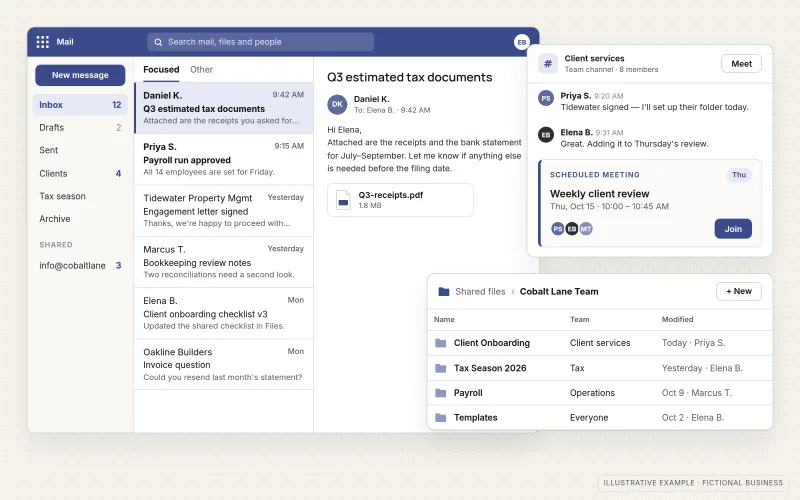
What IOPIA provides
What the work includes
- 01
Tenant setup
A Microsoft 365 tenant connected to your domain, with DNS records for mail delivery and authentication.
- 02
Users and licenses
Accounts, licenses, shared mailboxes and groups set up to match how the team works.
- 03
Email migration
Moving existing mailboxes from another provider where needed.
- 04
Files and collaboration
SharePoint sites, Teams and OneDrive organized so files have a clear home.
- 05
Security baseline
Multi-factor authentication and sensible sign-in and sharing settings.
- 06
Administration
Joiners, leavers, license changes and settings handled as an ongoing service.
Problems solved
When this helps
- Email still runs on an old provider or a personal-style account.
- Files live on individual laptops or in personal cloud folders.
- When someone leaves, nobody is sure how to remove their access or keep their files.
- Licenses are paid for but not used, or used by the wrong people.
Who it's for
- Businesses moving to Microsoft 365 for the first time
- Teams already on Microsoft 365 that set it up without a plan
- Businesses without an in-house administrator
A good fit when email, files and collaboration should run on one well-organized platform under the business's own domain.
Businesses committed to Google Workspace need a different setup — see Google Workspace Setup & Management.
How it works
A Microsoft 365 tenant
Select a part of the diagram to see what it does.
- The business domain points mail and authentication records to Microsoft 365.
- Accounts and sign-in, protected by multi-factor authentication, control access.
- Email runs on Exchange Online; collaboration on Teams.
- Shared files live in SharePoint and personal files in OneDrive.
Scope
Included, and not included
Included
- Tenant setup and domain connection
- Mail DNS records, including SPF, DKIM and DMARC
- Users, licenses, groups and shared mailboxes
- Mailbox migration from another provider
- SharePoint, Teams and OneDrive structure
- Multi-factor authentication and baseline security settings
- Ongoing administration as a managed option
Not included
- Microsoft license costs, billed by Microsoft or a licensing provider
- Custom SharePoint application development — scoped separately
- Hardware and device purchasing
Not sure where your project sits? Contact us about scope — we'll say plainly what fits.
Implementation
How implementation works
Review
Document current email, files, accounts and licenses.
Plan
Agree the tenant structure, users, groups and file organization.
Set up
Configure the tenant, domain, security baseline and users.
Migrate
Move mail and files with a cut-over plan that avoids lost messages.
Administer
Handle changes, joiners and leavers as part of ongoing management.
- Project — a one-time implementation with a defined scope.
- Managed — a recurring service after launch.
Technologies
Platforms that may be involved
This service covers Microsoft 365 components including:
- Exchange Online
- Microsoft Teams
- SharePoint Online
- OneDrive for Business
- Microsoft Entra ID (accounts and sign-in)
- Microsoft 365 admin center
Platform names are used to describe the work. They do not indicate a partnership or certification.
Questions
- Can you move our existing email without losing messages?
- Mailbox migration is planned with a cut-over date and DNS changes timed so mail continues to arrive during the move.
- Who pays for Microsoft licenses?
- Licenses are a separate cost billed by Microsoft or a licensing provider. IOPIA helps choose the right license types and keep them matched to actual users.
Discuss Microsoft 365 Setup & Management with IOPIA.
Describe the project or problem in your own words. Early-stage conversations are welcome — you don't need a finished brief.